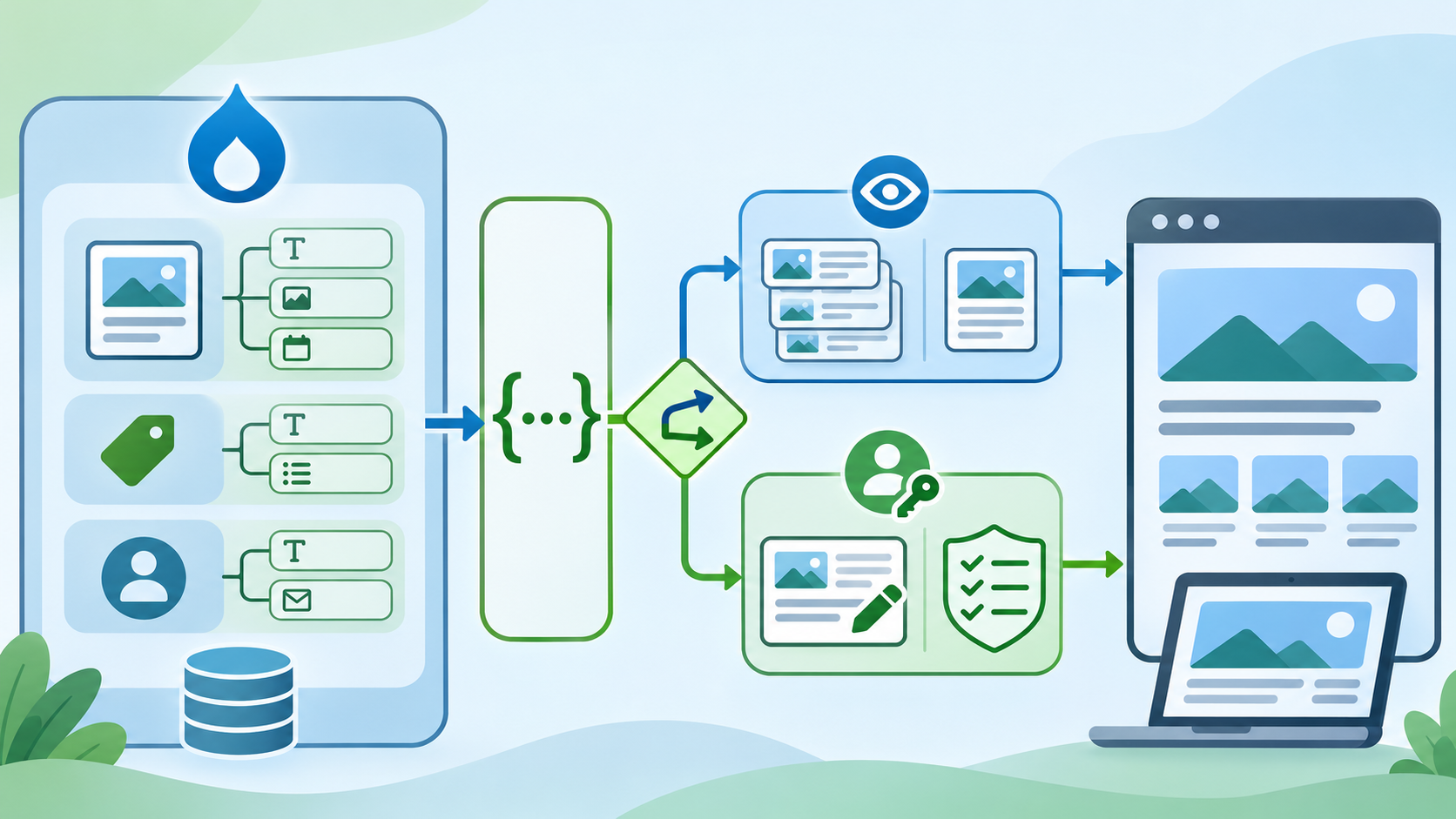
Editorial illustration; the architecture and interface are representative and are not a live Drupal installation.
A Drupal team may want a mobile app, a JavaScript frontend or another service to read content without rebuilding every editorial feature. Drupal’s core JSON:API module is often a sensible starting point because it exposes entity types and bundles through a predictable JSON:API implementation. The important question is not “Can Drupal return JSON?” It is “Does the content and security model fit the API we need?”
The Drupal documentation explains that JSON:API is centered on Drupal entities and bundles. It also distinguishes JSON:API from the more configurable core REST module. That distinction should shape the design before development starts.
Summary
- Use core JSON:API when the frontend needs Drupal entities and fields through standard resource paths.
- Treat reads, writes, revisions, translations and permissions as separate design decisions.
- Choose core REST or a custom endpoint when the request is business logic rather than entity access.
What JSON:API gives you
Drupal JSON:API exposes resources such as nodes, files, taxonomy terms and users according to the site’s entity model. Resource paths follow a predictable form such as /jsonapi/node/article for a collection and /jsonapi/node/article/{uuid} for one resource. The exact available resources depend on the site’s entity types, bundles, fields and configuration.
The module implements the JSON:API specification rather than returning an arbitrary shape invented for one frontend. That can reduce disagreement between teams: clients can learn the resource structure, relationships, filtering, sorting and pagination from a consistent model.
Why it matters
The API becomes part of the site’s operational boundary. A careless exposure can reveal content or create a write path that the editorial team never intended. A deliberate boundary lets the frontend move independently while Drupal remains responsible for content structure, permissions and editorial control.
A safe decision workflow
1. Describe the frontend’s actual needs
Write down the screens and actions, not just the technology. “Show the latest ten articles and their images” is different from “approve an article, notify an editor and publish it.” The first is close to entity retrieval. The second is a business workflow that may need custom handling.
2. Map each need to an entity
Identify the content type, fields, media references, taxonomy terms and language variants involved. If the information does not exist as a Drupal entity or relationship, JSON:API may not be the right boundary without additional work.
For example, a news listing may map to Article nodes, an image field and a section taxonomy. A “recommended next action for this user” may depend on business rules that do not belong in a generic entity endpoint.
3. Enable only what the site needs
Check the site’s core modules and configuration in a development environment. Confirm which resources are exposed, which fields are visible and how anonymous access behaves. Do not assume that a resource is safe simply because it is readable by an authenticated administrator.
Use a production-like test dataset without real personal information. Record the module and Drupal versions used for testing so a later update can be checked deliberately.
4. Test collection and individual requests
Start with a read-only request for a known collection. Then test one resource by UUID. Check the response shape, relationships, pagination, sorting and empty results. Make sure the frontend handles a missing image, unpublished content and a deleted related entity.
The URL path and response format are part of the contract. Do not build a client that depends on one incidental field order or on a development-only record.
5. Review access as Drupal access
Test requests as anonymous, authenticated and role-specific users. A frontend should not receive fields just because a developer can see them in an administrator session. Review permissions for content, files, revisions and user information.
For write operations, use the smallest role and permissions that support the task. Test what happens when a request lacks permission, includes invalid data or targets a resource the user cannot access.
6. Separate content writes from business actions
JSON:API supports standard resource operations such as GET, POST, PATCH and DELETE, subject to Drupal configuration and access control. That does not mean every business operation should be represented as a direct entity mutation.
“Update the article body” is an entity change. “Submit the article for legal review and send a notification” may require workflow rules, validation and an explicit application service. Keep those concerns visible rather than hiding them in a chain of generic PATCH calls.
7. Consider revisions and translations
An editorial site may have a live revision, a draft revision and several language versions. The frontend needs a clear rule for which version it is allowed to display. Test unpublished and translated content deliberately; a response that works for one language and one status is not a complete integration.
8. Set a caching and invalidation plan
Decide how long the frontend may cache content and what event should invalidate it. A news site may tolerate a short delay for a listing but not for a correction notice. Document the rule instead of relying on whichever cache happens to be present in development.
9. Observe failures without logging secrets
Record status codes, resource types and correlation identifiers where appropriate. Avoid logging access tokens, passwords or full personal payloads. A useful error log tells the team whether the request was unauthorised, malformed, unavailable or simply empty.
JSON:API versus core REST
Drupal’s documentation notes that JSON:API is closely coupled to entities and follows a standardised structure. Core REST is more configurable: it can support other formats, routes and business logic, but it usually requires more setup. The choice is therefore about fit, not which module is universally better.
Choose JSON:API when the main need is predictable access to Drupal’s content model. Consider core REST or a custom controller when you need a non-entity data source, a transaction that crosses several entities, a special response shape or an operation such as registration or password reset.
Common mistakes
- Treating every entity resource as public by default.
- Designing the frontend before mapping content types, fields and access rules.
- Using repeated PATCH requests to imitate a business workflow.
- Ignoring revisions, translations, unpublished content and missing relationships.
- Hard-coding one development UUID or assuming field order will never change.
- Exposing more user or media metadata than the frontend requires.
My Take
JSON:API is most useful when the Drupal content model is already clear. It gives a decoupled frontend a consistent vocabulary, but it cannot decide what should be public, which revision is current or how a business process works. Those remain application and editorial decisions.
Bottom Line
Start with a small read-only JSON:API slice, test it with real roles and edge cases, then expand. Keep entity delivery separate from business actions. If the request does not map cleanly to Drupal entities and access rules, use a more explicit endpoint rather than forcing JSON:API to become an application workflow engine.