Editorial illustration.
Originally published 16 June 2023; rewritten and reviewed on 15 October 2026.
A form offers two ways to provide information: enter a product code or describe the product. Requiring both is wrong, but making both optional allows an empty submission. The rule belongs to the pair, not independently to either field.
State the rule in ordinary language
“At least one of these fields must contain a non-whitespace value” is different from “exactly one must be filled.” Decide which rule the workflow needs before configuring the form.
A small C# expression captures the first version:
bool hasProductReference =
    !string.IsNullOrWhiteSpace(productCode) ||
    !string.IsNullOrWhiteSpace(productDescription);
Both values being present passes this rule. If that should be prohibited, the business rule needs a different expression and a different explanation to the user.
Place validation at the supported boundary
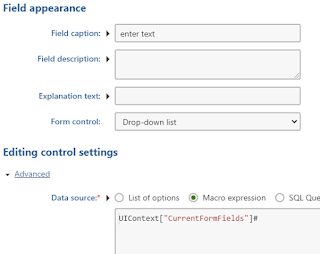
The original walkthrough used Kentico form and macro-rule configuration. That mechanism depends on the installed version and form technology. Implement the rule through its supported server-side validation extension rather than assuming one screenshot or macro method applies to every release.
Client-side validation can provide quicker feedback, but the server must reject an invalid direct submission as well. Normalise whitespace consistently before deciding whether a value is empty.
Explain the correction without blaming one field
Place an error where the relationship can be understood: “Enter a product code or a product description.” Associate it appropriately with the inputs and preserve what the user already entered.
Test neither field, either field, both fields and whitespace-only input. The small truth table is the acceptance test. A professional form does not merely reject bad data; it makes the valid choices clear enough that someone can correct the submission confidently.
Related reading
Images from the original article
The following images are retained as historical context; interfaces and configuration options may have changed.