Editorial illustration.
Originally published 16 June 2023; rewritten and reviewed on 15 October 2026.
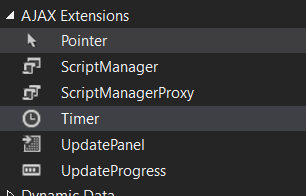
A long form gives the user plenty of time to lose work before reaching Submit. The original example used an ASP.NET Web Forms Timer and UpdatePanel to trigger periodic saving. That mechanism can start the conversation, but it cannot define what counts as a safe draft.
Understand the partial postback
A timer tick raises a server event through the page’s asynchronous-postback infrastructure. A ScriptManager, correctly configured triggers and the actual page lifecycle matter. The textbox values and dynamically created controls must be available at the time the handler reads them.
protected void Timer1_Tick(object sender, EventArgs e)
{
    // Authorise this user's access to the draft.
    // Validate draft-appropriate values and compare its revision.
    // Persist the draft, then update an accessible status message.
}
This handler outline belongs to a legacy Web Forms page. It is not a working persistence implementation, and placing it inside an UpdatePanel does not add authentication or concurrency protection.
Separate drafts from final submissions
A draft may legitimately contain incomplete information. Final submission may require validation groups and additional business rules. Keep those transitions distinct so a timer does not accidentally run a payment or publish action intended for the submit button.
Compare revisions on the server when concurrent tabs or overlapping saves are possible. A timer interval alone does not prevent older data from overwriting newer changes.
Make the visible status truthful
Report the last confirmed save and show a retry route when saving fails. Avoid displaying success when the page merely sent a request. Keep a deliberate final-save action where the workflow requires one.
Test timer ticks during editing, network interruption and two open tabs. The reassuring part of autosave should be recoverable data, not the fact that a counter has reached its next interval.
Related reading
Images from the original article
The following images are retained as historical context; interfaces and configuration options may have changed.