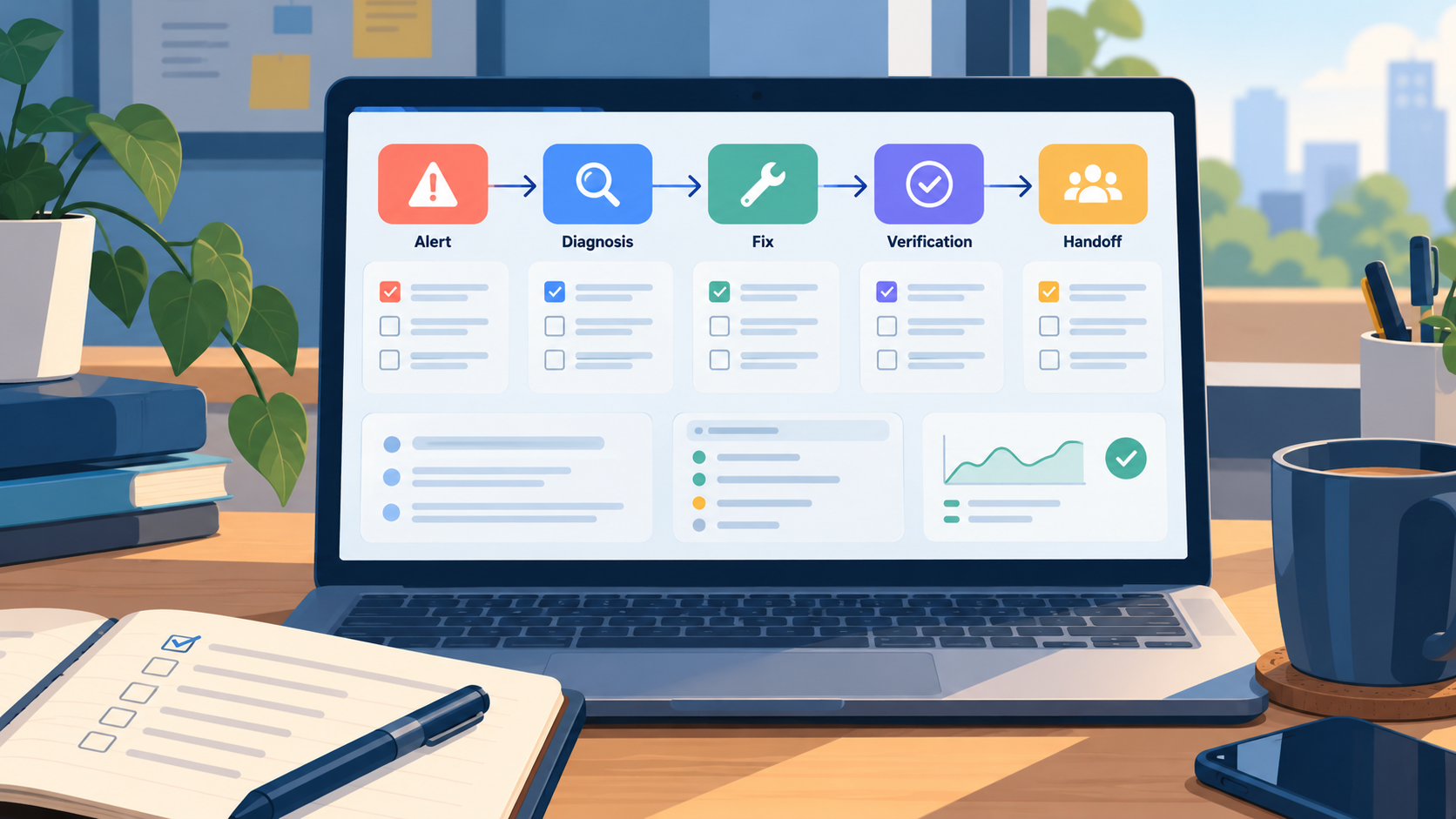
Editorial illustration; the interface is representative and is not a real monitoring system.
A small website can depend on one person’s memory. That person knows which host to log in to, which command is safe, where the backups live and which “temporary” setting has become permanent. The arrangement feels efficient until the person is asleep, unavailable or under pressure.
Quick Answer
Write a short runbook for the few failures your website is most likely to face. For each one, record the symptom, the first safe checks, the person or service to contact, the recovery action, the verification step and the point at which you must stop and escalate. Test the runbook with someone who did not write it, then update it after real incidents.
A runbook is not a dump of every command you know. It is a decision aid for a stressful moment. It should help a capable person take the next safe step without giving them unnecessary production access or encouraging dangerous improvisation.
What belongs in a small-site runbook
Start with outcomes rather than tools. “The homepage returns an error” is more useful than “Cloudflare issue” because several layers can cause the same symptom. A useful entry identifies what the visitor sees, what you can observe, and what must be true before you call the incident resolved.
For each incident, include:
- Symptom: what a visitor, editor or monitor reports.
- Scope: one page, one region, logged-in users, the whole site or an unknown scope.
- First checks: read-only checks that narrow the problem.
- Safe action: the least risky change likely to restore service.
- Verification: how to prove the result from the visitor’s point of view.
- Escalation: when to stop, who to contact and what evidence to send.
Keep secrets out of the document. Link to the password manager, describe the role required and record how access is requested. A runbook that contains a copied API token is a security incident waiting to happen.
A practical five-stage workflow
1. Describe the alert in plain language
Write the first line as if a tired colleague will read it at 2 a.m. “Visitors see a 500 response on the article page” is better than “application unhealthy”. Add the time zone, the first observed time and whether the report came from a monitor, a person or a log.
Do not assume the first report explains the whole incident. Treat it as a starting observation. If the report is “the site is down”, check whether the homepage, an article, the admin area and a static asset fail in the same way.
2. Start with read-only checks
The first commands should gather evidence, not change production. Check the status page of a relevant provider, resolve the domain, request the affected URL, inspect the application log and confirm whether a recent deployment or content edit happened. Record the output that changes your decision.
Avoid running a long list of commands simply because they are familiar. Every check should answer a question: is the failure global, is it at the edge, is the origin reachable, or is only one route broken?
3. Choose the smallest reversible fix
If a cache contains an old response, purge only the affected path when the platform supports it. If a deployment introduced a known regression, use the documented rollback process. If a configuration value is wrong, change it through the normal source-controlled or hosting workflow.
Do not make several unrelated changes at once. A quick sequence of “restart, clear everything, update a plugin and edit DNS” may appear productive, but it destroys the evidence and makes the next failure harder to explain.
4. Verify from the user’s path
A green process is not proof that a visitor can use the site. Open the affected URL from a normal browser, test a fresh session, check the relevant form or login flow and confirm that images, styles and links load. If the incident affected a regional or mobile audience, test that path too.
Write the exact success condition in the runbook. “Check the site” is vague. “The homepage returns the expected title, the article loads its featured image and the contact form shows a confirmation” is testable.
5. Hand off a useful record
Close with a short incident note: what happened, what evidence you saw, what changed, when service recovered and what remains to investigate. Include links to logs or commits, but remove sensitive values. If another person must continue, state the next action rather than saying “please investigate”.
Example: a broken deployment
Suppose a static site deploy finishes, but visitors see the previous homepage. A runbook can guide the operator through a narrow path:
- Confirm the repository commit intended for release.
- Check the deployment log for a successful build and publish step.
- Request the homepage with a cache-busting query and inspect the response headers.
- Compare the live asset or page identifier with the intended commit.
- Purge the affected cache only if the deployment is correct and the old response is being served.
- If the build is wrong, stop and roll back to the last known-good commit.
- Verify the homepage, one article and the feed before closing.
The value is not the exact vendor command. The value is the order: establish the intended version, separate build failure from delivery cache, make one reversible change and verify public behaviour.
Test the runbook before an emergency
Ask someone unfamiliar with the system to follow the document in a staging environment or during a calm review. Watch for questions such as “Which account?”, “Where do I find that log?”, “What does healthy look like?” and “Can I undo this?” Those questions reveal missing context.
Review the runbook after a hosting change, a new deployment pipeline, a domain move, a major plugin update or a backup change. Remove commands that no longer apply. An obsolete instruction is more dangerous than no instruction because it creates false confidence.
Mistakes to avoid
- Writing a history of the system instead of an action guide.
- Starting with destructive commands such as deleting caches or databases.
- Giving every reader production administrator access.
- Storing passwords, tokens or private customer data in the document.
- Treating a successful process restart as proof of recovery.
- Letting a runbook grow so long that nobody reads it.
- Failing to record the last review date and owner.
My Take
The best runbook is deliberately boring. It turns private knowledge into a small, repeatable sequence and makes the safe stopping point visible. That is enough to reduce panic without pretending that every incident can be solved by a checklist.
Bottom Line
Pick the three failures your small website is most likely to face and write one page for each. Lead with read-only checks, keep fixes reversible, verify the visitor experience and document the handoff. Then test the runbook with someone else before you need it.